Your Link Isn't Broken — It's Been Quietly Blacklisted
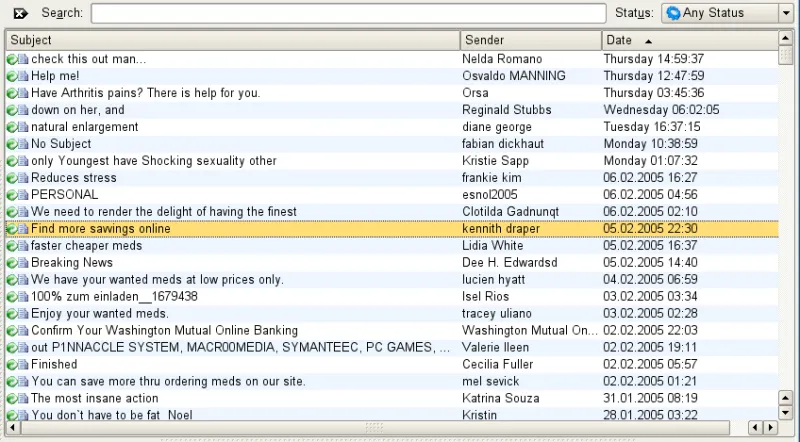
Photo: The original uploader was Ascánder at Wikimedia Commons., GPL, via Wikimedia Commons
You spent an afternoon putting together a perfectly good newsletter. The offer is real, the link works in your browser, your coworker clicked it twice from her desk. Then you send it out and — nothing. Half your list never saw it. Gmail buried it in spam. A customer texts you a screenshot of Facebook warning people your link 'may be unsafe.'
Nothing about your link is actually malicious. But somewhere between your server and someone's inbox, a machine decided it couldn't be trusted. Here's how to figure out why, and more importantly, how to fix it.
First, Understand Who's Judging You
When a link gets flagged, it's almost never a person making the call. Email providers like Gmail and Outlook lean on massive reputation systems that score entire domains, IP addresses, and even the shorteners you use. Social platforms run similar automated checks that scan links for redirect chains, known-bad domains, and patterns associated with phishing.
The frustrating part? These systems judge by association. If you're using a free shortener that ten thousand spammers also use, your church bake sale link inherits some of their reputation. It's like getting pulled over because your rental car matched someone else's description.
The Usual Suspects
Before you panic, check your link against the most common triggers:
- Sketchy redirect chains. If your link bounces through two, three, four hops before landing, filters get nervous. Every redirect is another chance to hide something malicious.
- Shared shortener domains. Free shorteners are a spammer's best friend, which means the good ones eventually get poisoned too.
- Bare IP addresses or odd TLDs. A link like http://198.51.100.7/deal or something ending in .xyz raises eyebrows even when it's totally legitimate.
- Mismatched branding. If the email comes from your business but the link points to a domain with zero connection to your name, that's a classic phishing pattern.
- A brand-new domain with no history. Freshly registered domains sending volume immediately? That's bot behavior, and filters know it.
Diagnose the Problem Like a Pro
You don't need to guess. A few free tools will tell you exactly what the machines think of your link.
Start with Google Safe Browsing — paste your URL into the Safe Browsing site status checker to see if Google has flagged it. Since Gmail leans heavily on Google's own data, this one matters most. Then run your domain through MXToolbox to check email blocklists like Spamhaus. If you're on one, the listing page usually tells you why and how to request removal.
For email specifically, send a test to a Gmail account and check the original message headers — Gmail shows you its spam verdict and which authentication checks (SPF, DKIM, DMARC) passed or failed. If those acronyms mean nothing to you, that might be your whole problem: unauthenticated email looks like spoofed email, no matter how innocent the content.
For social platforms, tools like Meta's Sharing Debugger will show you exactly how Facebook sees your link, including any warnings attached to it.
Earning Trust Back
Once you know what tripped the wire, the fix usually falls into a few buckets.
Clean up the technical stuff. Set up SPF, DKIM, and DMARC on your sending domain if you haven't. These are cryptographic proof that your emails actually come from you. Most email platforms walk you through it, and it takes under an hour.
Ditch the shared shortener. If you love short links — and honestly, for print materials and social posts, you should — use a service that lets you use your own domain. A short link on yourbrand.com inherits your reputation instead of a stranger's. This is the single biggest upgrade most small businesses can make.
Shorten the chain. Audit where your redirects actually go. If your link hops from shortener to tracking service to landing page, trim it down to one hop whenever possible.
Warm up slowly. If you're sending from a new domain, don't blast 5,000 people on day one. Start with your most engaged contacts, keep volume low, and ramp up over a few weeks. Filters watch for exactly the kind of sudden spikes that scream spam bot.
Make it easy to verify. Use HTTPS, keep your landing page's content matching what the email promised, and make sure the link destination domain resembles your brand. Filters — and people — reward consistency.
A Quick Prevention Checklist
Going forward, run every important link through this five-point check before it ships:
- Does the link work in a private browsing window? (No cookies, no login walls.)
- Does it use HTTPS?
- Is it on a domain you control, or at least a reputable one?
- How many redirects before it lands?
- Have you tested it in a real Gmail inbox, not just your browser?
That last one is the one everybody skips. A link that works in Chrome means nothing if Gmail won't deliver the email containing it.
The Bottom Line
Getting flagged feels personal, but it's really just math running at internet scale. The platforms aren't out to get you — they're out to get the ten million actual spam messages sent every day, and your link got caught in the net because it shared a domain, a pattern, or a missing authentication record with the bad guys.
The good news is that everything filters judge you on is fixable: your own domain, clean redirects, proper email authentication, and a slow, steady sending rhythm. Do that, and your next campaign lands where it belongs — in the inbox, not the junk folder.