Print It, Test It, Then Mail It: Saving Your Wedding Link From Cardstock Disaster
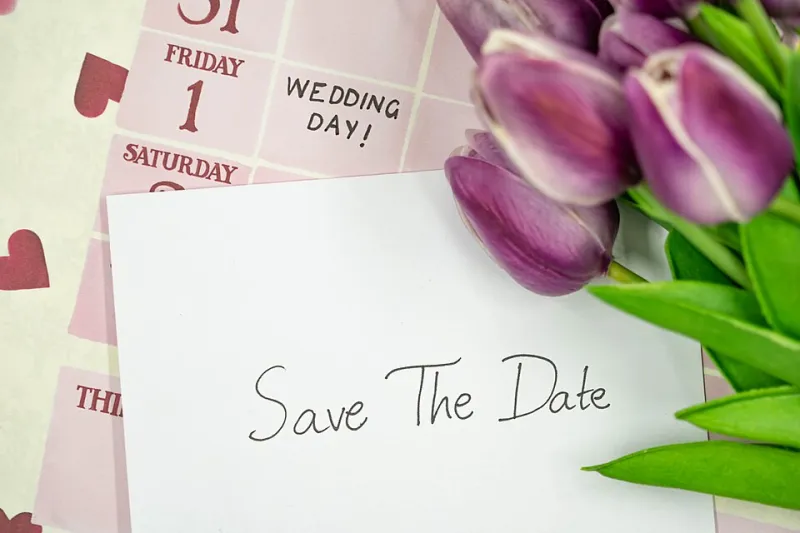
Photo: Claireneon, CC BY-SA 4.0, via Wikimedia Commons
Somewhere between picking napkin colors and arguing about the guest list, you'll face a decision that seems tiny but isn't: what URL goes on your save-the-date?
It sounds trivial until you realize what's riding on it. That link is how 150 people find your registry, your RSVP form, your hotel block, and the answer to "is there parking?" If it's wrong — or dies in month four — those people don't become No-Shows With An Excuse. They just quietly never respond.
Here's how to get it right before the printer ever fires up.
Short beats clever, every time
Your wedding website builder happily hands you something like forever.together/zoe-and-marcus-september-2026 and calls it a day. Do not put that on an invitation.
Cardstock is not a screen. There's no autocomplete, no tap-to-open, no spell-check. Your 78-year-old great-uncle is going to type that thing character by character into his browser, and every hyphen and extra word is a chance he lands somewhere else entirely.
Aim for something you can say out loud over the phone:
- Short: under 20 characters if you can swing it
- Simple: no hyphens, no numbers that could be letters (that's a "one" or an "L"? Nobody knows)
- Real words:
marcandzoe.combeats any random string of letters
Most URL shortening and custom-link tools let you claim your own ending, so you can turn a monster URL into something like tinyurl.com/zoe-marc in about two minutes. Do that before you design anything — the link should shape the layout, not the other way around.
The paper test (yes, actually on paper)
Before you approve the proof, print the URL at actual invitation size on actual paper. Then hand it to someone who isn't you and ask them to type it into their phone.
You're checking for a few things:
- Font confusion. Some elegant script fonts make lowercase L and uppercase I identical. Your calligrapher won't care; your guests will.
- Size. If your grandma needs reading glasses and a prayer to make out the URL, it's too small. Bump it up.
- Case sensitivity. Type the URL wrong — capitalized where it shouldn't be — and some links just break. All-lowercase is the safest bet.
- Line breaks. If the URL wraps awkwardly across two lines, people often miss the second half or add a space. Keep it on one line.
Five minutes of testing beats a hundred confused texts in September.
Build the backup before the honeymoon
Here's the part almost nobody does: your link needs to outlive your attention span. The wedding ends, you're on your honeymoon, your free trial on the website builder expires, and poof — the URL on every invitation you mailed now leads to a 404 page.
The fix is a redirect you own:
- Register a simple domain (or claim a custom short link) that's yours for years, not months.
- Point it at your wedding website — wherever that lives today.
- If the site ever moves or shuts down, update the redirect, not the invitations. The printed link never changes; only where it points does.
Think of it like a forwarding address at the post office. The envelope says one thing forever; the destination can change behind the scenes.
While you're at it, set a calendar reminder for a year after the wedding to check the link one last time. Plenty of couples keep their site up for anniversaries, photo shares, and thank-yous — but only if the thing still loads.
One link, several stops
Consider having that one printed URL land on a simple hub page rather than a single destination. From there, guests can tap through to the RSVP form, the registry, the hotel block, and the schedule. When details change — and they always do — you update the hub, not the paper.
It also means your save-the-date, your invitations, your programs, and your favors can all carry the same link, which reinforces it. By the third time someone sees it, they've already typed it in.
A pre-mailing checklist
Run through this before the stamps go on:
- URL is under 20 characters and all lowercase
- You typed it in cold from the printed proof and it worked
- Someone else did too, on a phone
- The link redirects through something you control
- You know how to change where it points in under five minutes
- There's a reminder on your calendar to check it post-wedding
That's it. No design degree, no tech skills — just a little paranoia applied at exactly the right moment.
Your save-the-date will live on refrigerators and in junk drawers for the better part of a year. Give it a link that can keep up.